
Cherry Audio
Cherry Audio - Stardust 201
Cherry Audio - Stardust 201
Couldn't load pickup availability
Stardust 201 is Cherry Audio's tape echo plugin, modelled on the classic Roland RE-201 and RE-301 Space Echo units, for dub, dub techno, reggae, ambient and anyone who likes their delays warm, wobbly and prone to runaway feedback.
How it works
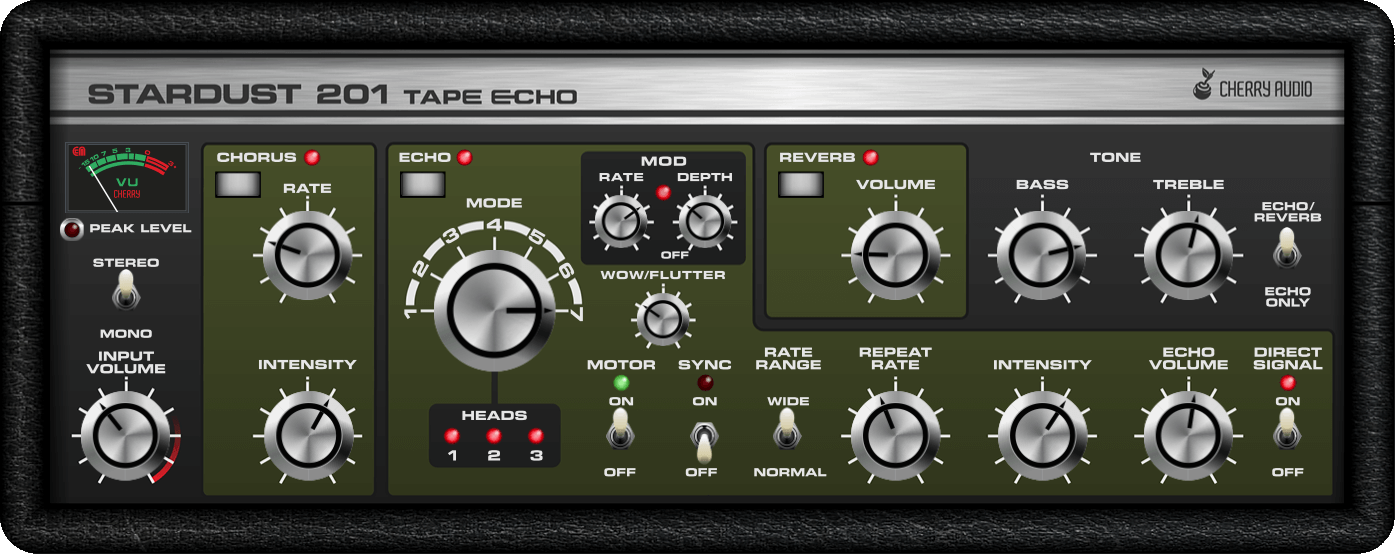
Seven head modes give the familiar combinations of repeat patterns, and Cherry Audio has extended the echo time range four times over, added an LFO for modulating echo time and tempo sync to the DAW. The tape model rolls off highs and lows as repeats decay and adds small speed variations, so echoes soften and chorus slightly as they fade. Spring-style reverb and a true-stereo modelled BBD chorus are built in, as on the later units, along with input overdrive and bass and treble EQ.
The sound
Warm, dark and alive. Push the intensity and it self-oscillates into those spiralling, other-worldly feedback sweeps, and the motor kill switch gives the classic tape-stop pitch dive. Stereo tape head loops widen things nicely without losing the vintage feel. It's not the tool for clean, precise digital delays, but for dub chords and dubby techno stabs it's exactly what you want, at a price lower than a replacement tape loop for the real thing.
Features
- Modelled vintage tape echo with seven tape head modes
- 4x extended echo time range
- LFO echo time modulation
- Tempo sync
- Motor kill switch
- True-stereo modelled BBD chorus
- Spring-style reverb
- Modelled input overdrive
- Independent stereo tape head loops
- Mono and stereo modes, bass and treble EQ
- Selectable colour themes
System requirements
- Version: 1.4.0
- Mac: macOS 10.13 or later, native on Apple Silicon. AU, VST2, VST3, AAX and standalone (64-bit)
- Windows: Windows 7 or later, including Windows 11. VST2, VST3, AAX and standalone (64-bit)
- Quad-core CPU and 8GB RAM recommended
- Internet connection needed for activation
SOUND7 is an authorised Cherry Audio reseller. Digital delivery: licence activation code sent by email. See How to Activate Your Cherry Audio Plugins.
Demo
